Control Unreal
Engine with AI
Transform your game development workflow. Create scenes, spawn actors, and manipulate objects using natural language commands.
See the agent in action
Watch how natural language transforms into real Unreal Engine operations
Generate a majestic lion with detailed fur and realistic textures
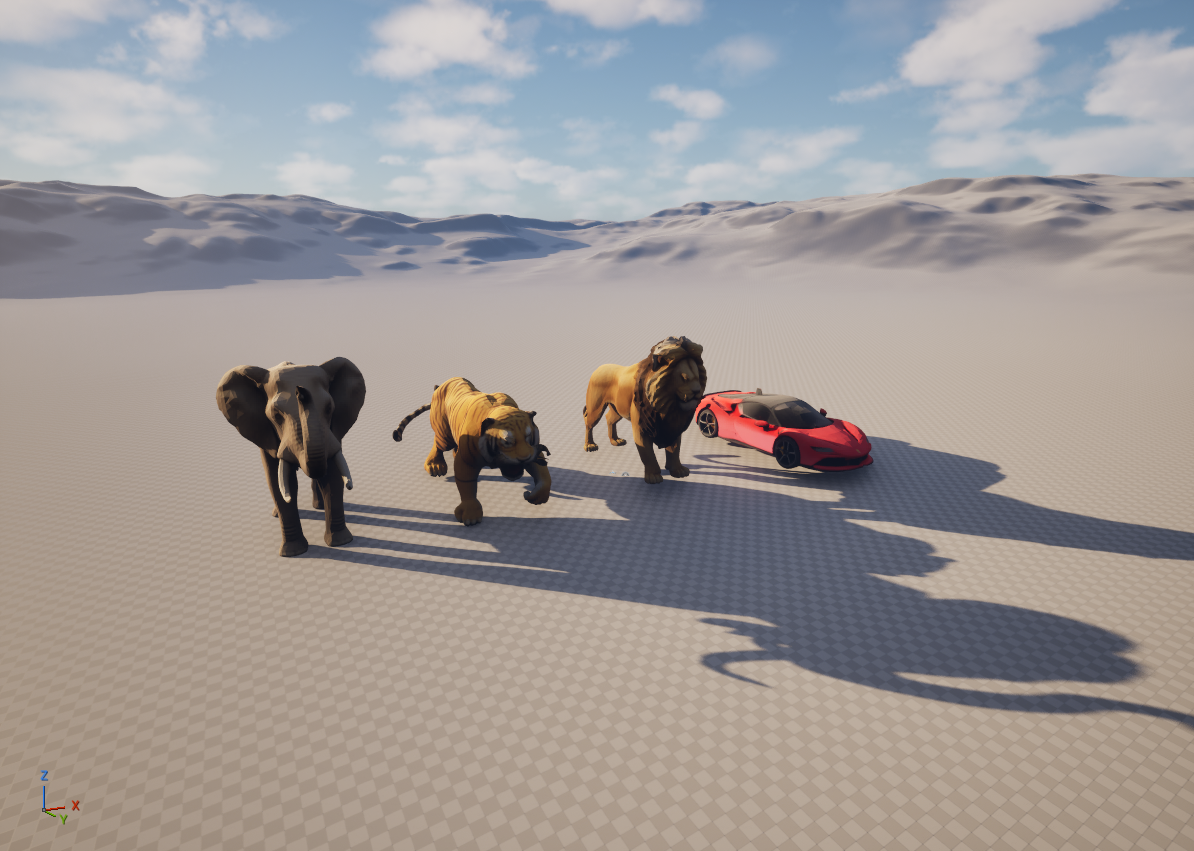
Textured 3D mesh generated and spawned at origin
Build me a detailed medieval castle with a front drawbridge and apply stone castle materials
Built Medieval_Castle with towers, drawbridge & stone materials applied.
How do I set up a physics-based door with Blueprint?
Use a PhysicsConstraint component with Angular Swing limits. Set the door as Simulate Physics and constrain rotation to one axis...
Get started in minutes
Three simple steps to transform your Unreal Engine development
Create Account
Sign up and join our Patreon to get activated with credits for AI usage.
Install Plugin
Download and install the FlopAI plugin in your Unreal Engine 5 project.
Start Creating
Connect to the agent and use natural language to build, modify, and create.
Frequently Asked Questions
Everything you need to know about the Unreal Agent
Getting Started
Account & Access
Using the Agent
Technical Support
Ready to transform your workflow?
Join developers who are building faster with AI-powered Unreal Engine development.
Get Started Free